
 David York, Global Channel Vice President, Graphisoft | Photo: Worapas Dusadeewijai
 MEET DAVID YORK FROM GRAPHISOFT AND DISCOVER ARCHICAD – THE BIM SOFTWARE DESIGNED BY ARCHITECTS, FOR ARCHITECTS – BUILT TO SIMPLIFY THE COMPLEXITIES AND LET CREATIVITY FLOW NATURALLY
TEXT: NATHATAI TANGCHADAKORN
PHOTO CREDIT AS NOTED
(For Thai, press here)
For many years, when discussing popular software that ‘new grads’ need to master before fully entering their first career in Thailand, the names that often pop up are popular 2D or 3D software. But at the same time, BIM, or Building Information Modelling, also frequently appears in conversations, too, with phrases like ‘knowing how to use it gives you an advantage’ and ‘more companies are adopting it.’ The question is, how well do we really know BIM, and how many people have actually tried using them?
Many companies aren’t tied to their software, they simply don’t see the need to change. With the workflows of each team member needing to be coordinated, switching software is quite complicated. Today, art4d wants to introduce you to Archicad, Graphisoft BIM solution, through a conversation with David York, Global Channel Vice President at Graphisoft, at Vertier Bangkok in late March.
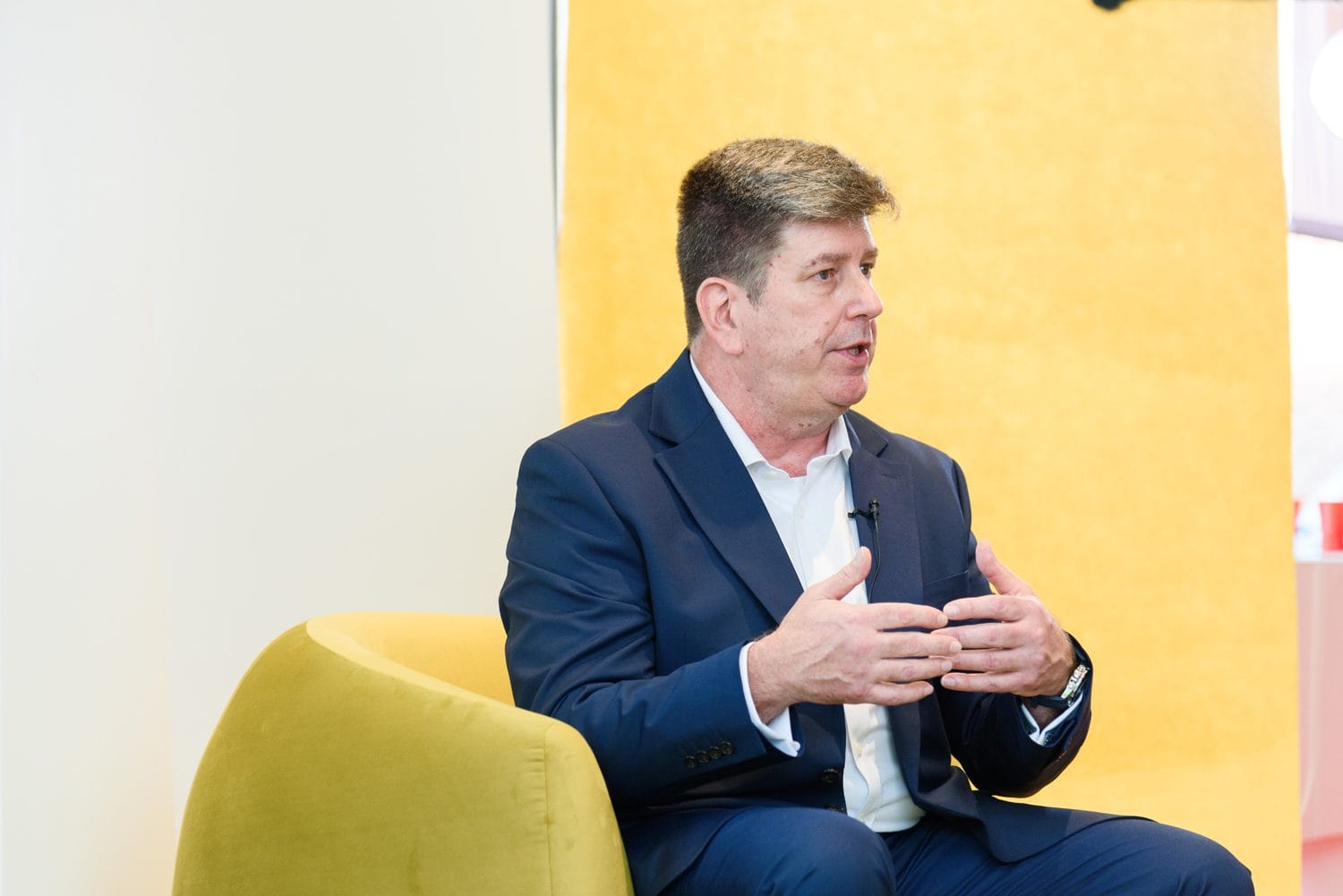
Photo: Worapas Dusadeewijai
art4d: What do you think is Archicad’s key strength? And which types of architectural projects are best suited for Archicad?
David York: I think one of the values of Archicad is that it’s developed by architects for architects. It works in a natural workflow from conceptual design to detailed design, visualization, and documentation.
We have a wide gamut of projects that have been used on over a million buildings globally, so everything from small residential homes up to large corporate buildings fits our Archicad very well. It takes a very complex design and communication process between multiple stakeholders, simplifies it, and allows architects to focus on adding value and designing beautiful things.
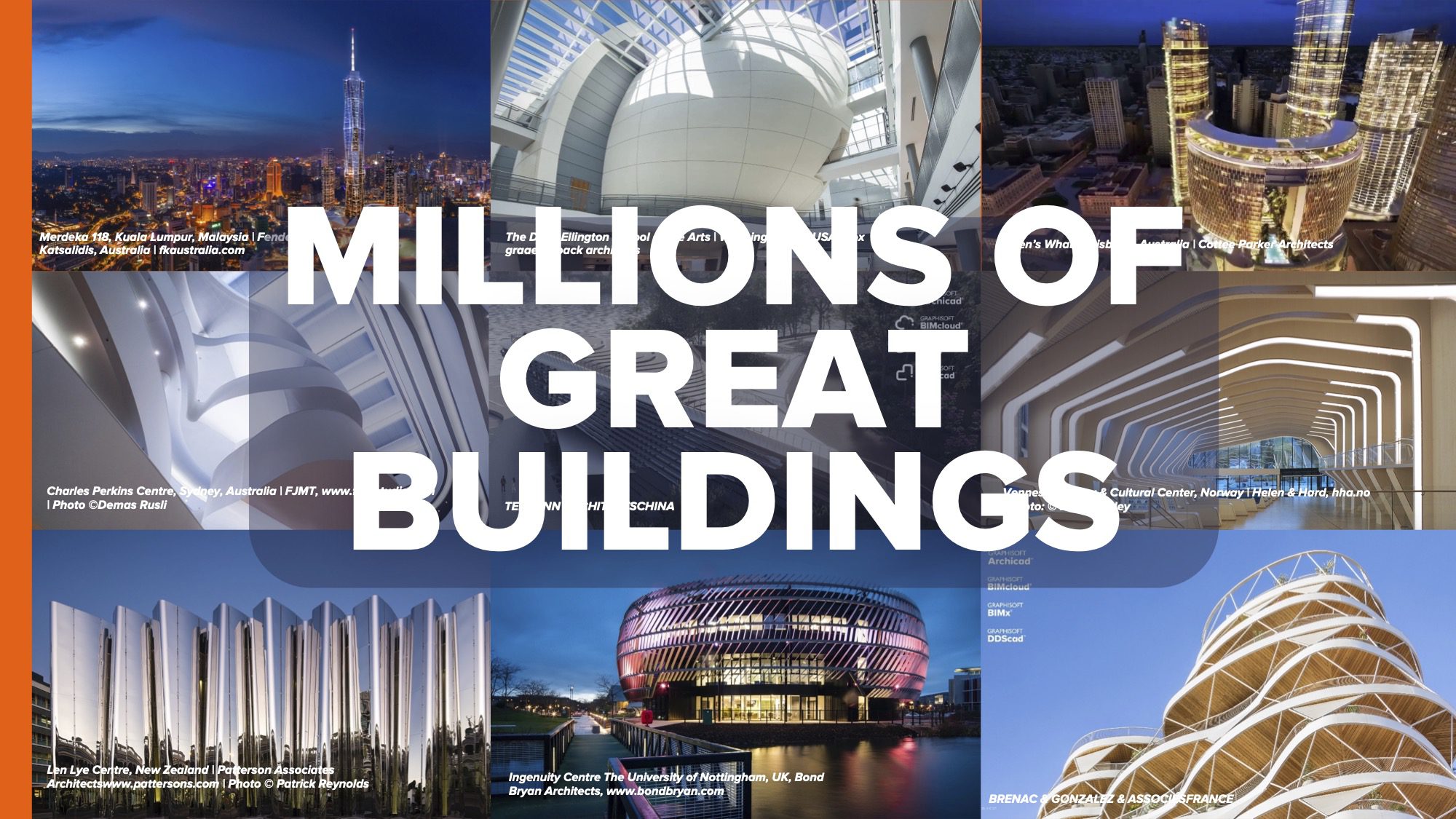
Image: Graphisoft
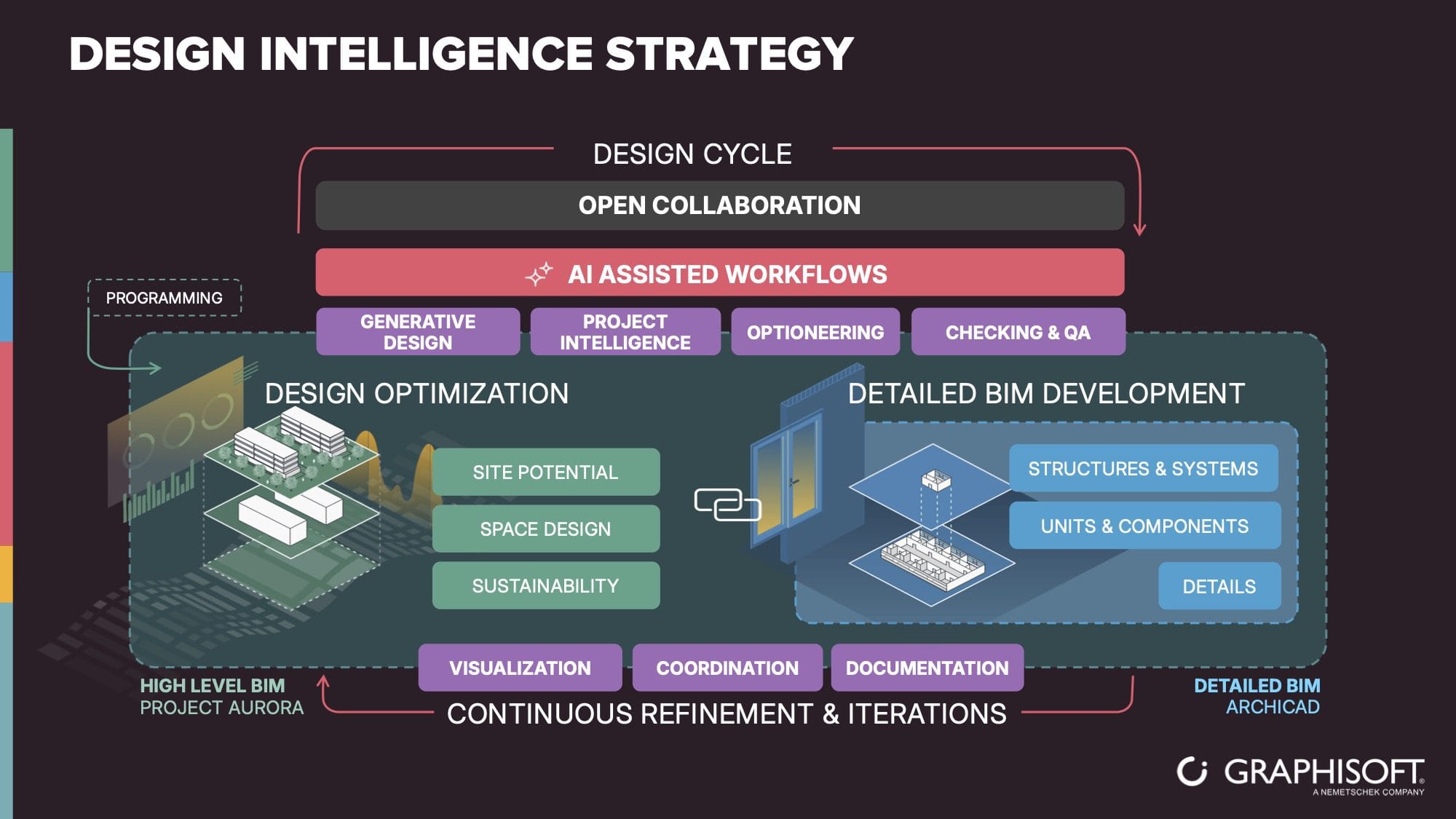
Image: Graphisoft
art4d: Could you tell us more about the words ‘By architects for architects’?
DY: Architects usually take a brief from a client, and then sketch it or create a conceptual drawing set of the building, right? Archicad allows you to start at that conceptual stage with the sketch and move quickly into the photorealistic 3D visualization immediately, early in the design process. Because you’re actually creating a 3D model when you create the sketch.
With this, you can understand the design intent clearer and be able to use them to discuss with the customer that you’re getting the output they’re looking for. I think it’s the ability to create, from a 3D directly at the visualization, that differentiates.
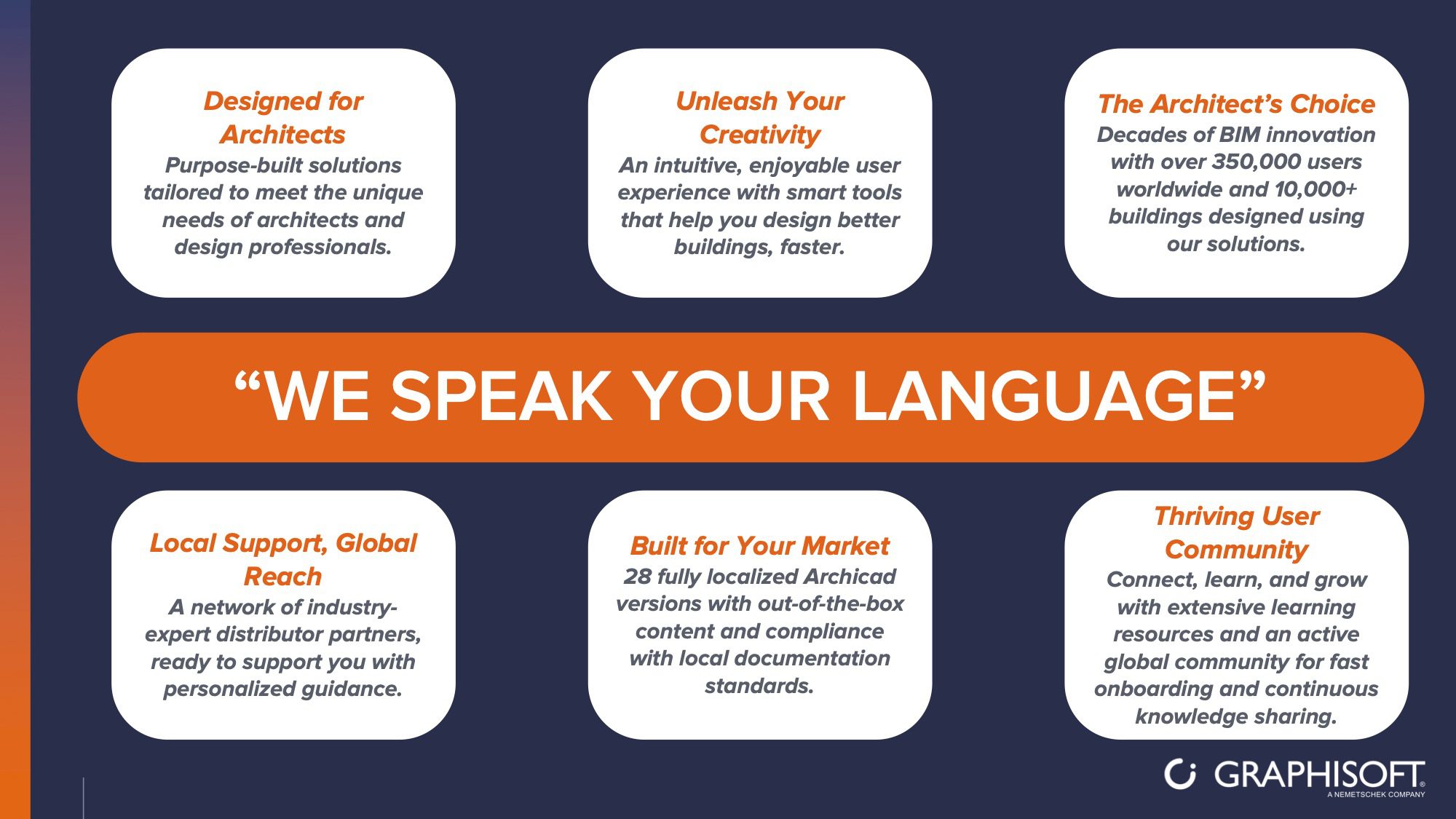 Image: Graphisoft
art4d: What do you see as the biggest challenge for architects in this era? And how does Archicad develop tools to respond to those kinds of challenges?
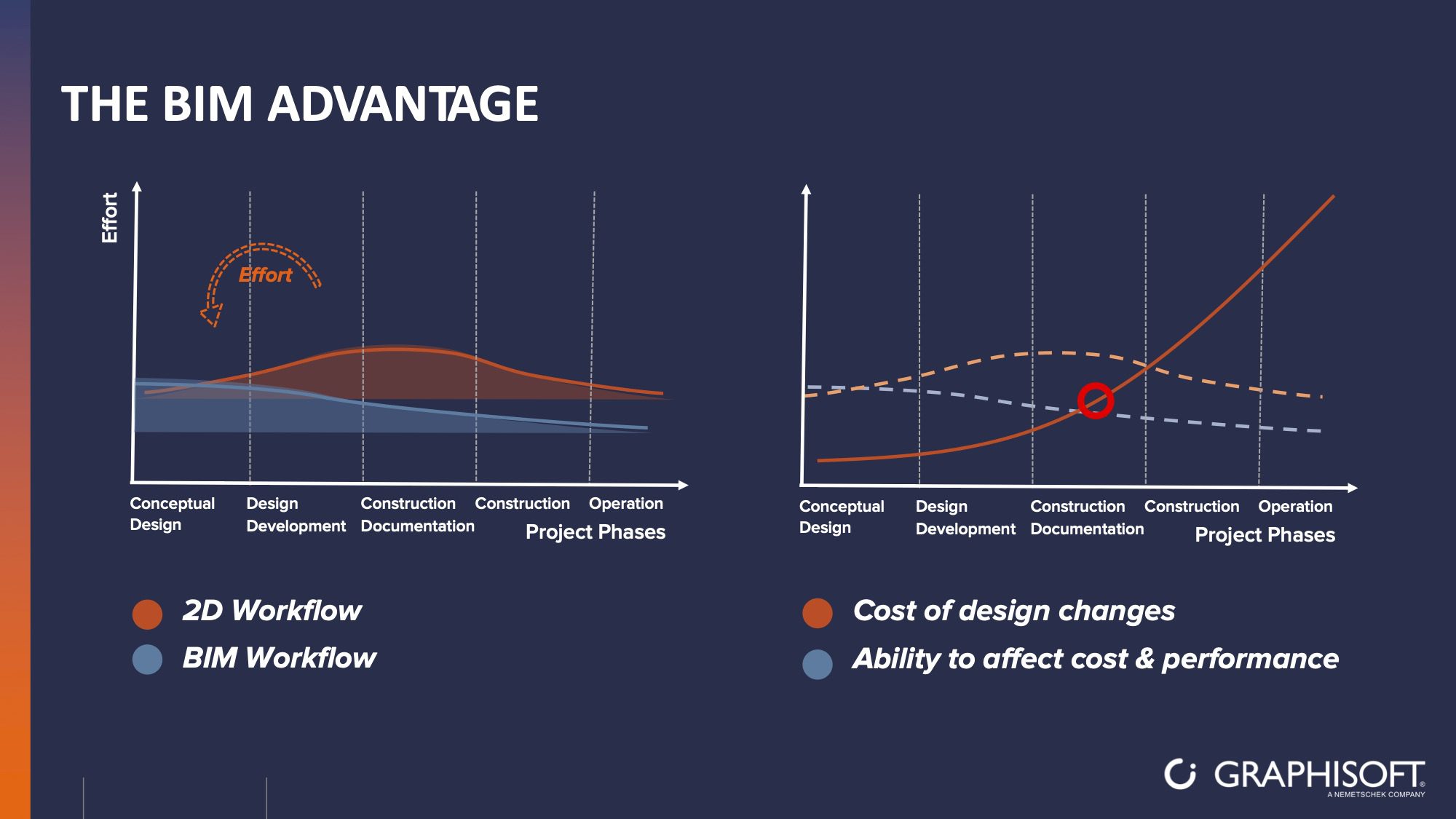
DY: As you see, the world’s changing, AI is bringing a lot of opportunity to workflows and processes. It’s impacting architects, like every other facet of the world. A pain point for architects nowadays is once they’ve created the design and move on downstream to construction, sometimes there are changes that need to happen, and the architect has to revisit the design. They have to look at it, create a solution for the problem, and then document that design again.
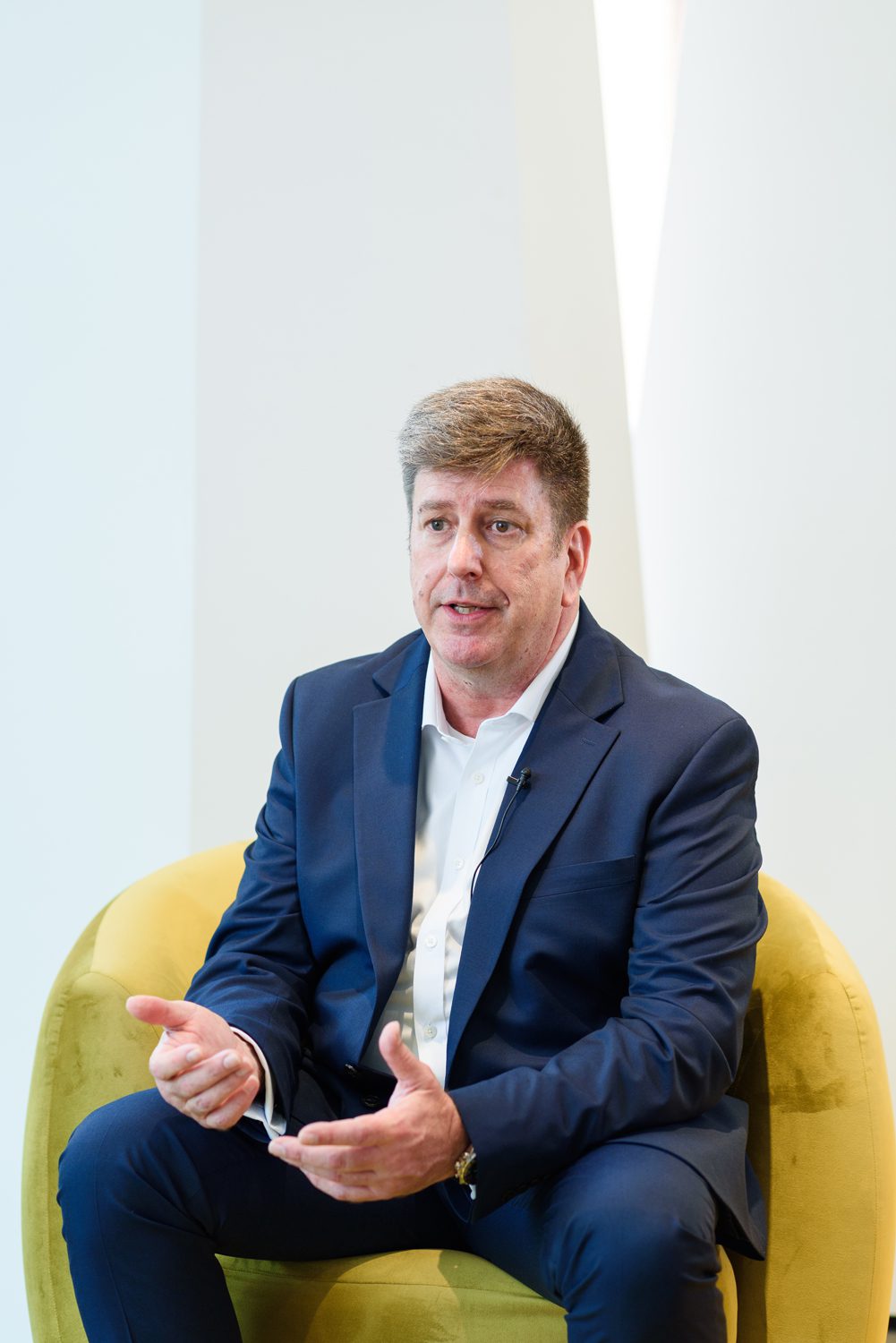
Photo: Worapas Dusadeewijai
Archicad allows them to work within that native environment and allows them to make those changes. Those changes have reflected through all levels of the model, documentation, and visualization, so they don’t have to go back to each piece.
But what we’re seeing is the opportunity with Artificial Intelligence to start taking some of those iterative processes and using briefing and content into an AI world and creating options for the architect, so no longer they have to stop what they’re doing and redesign it from start, but they’ll get back some ideas of good possible solution set to allow them to really focus on the high value work. They do design.
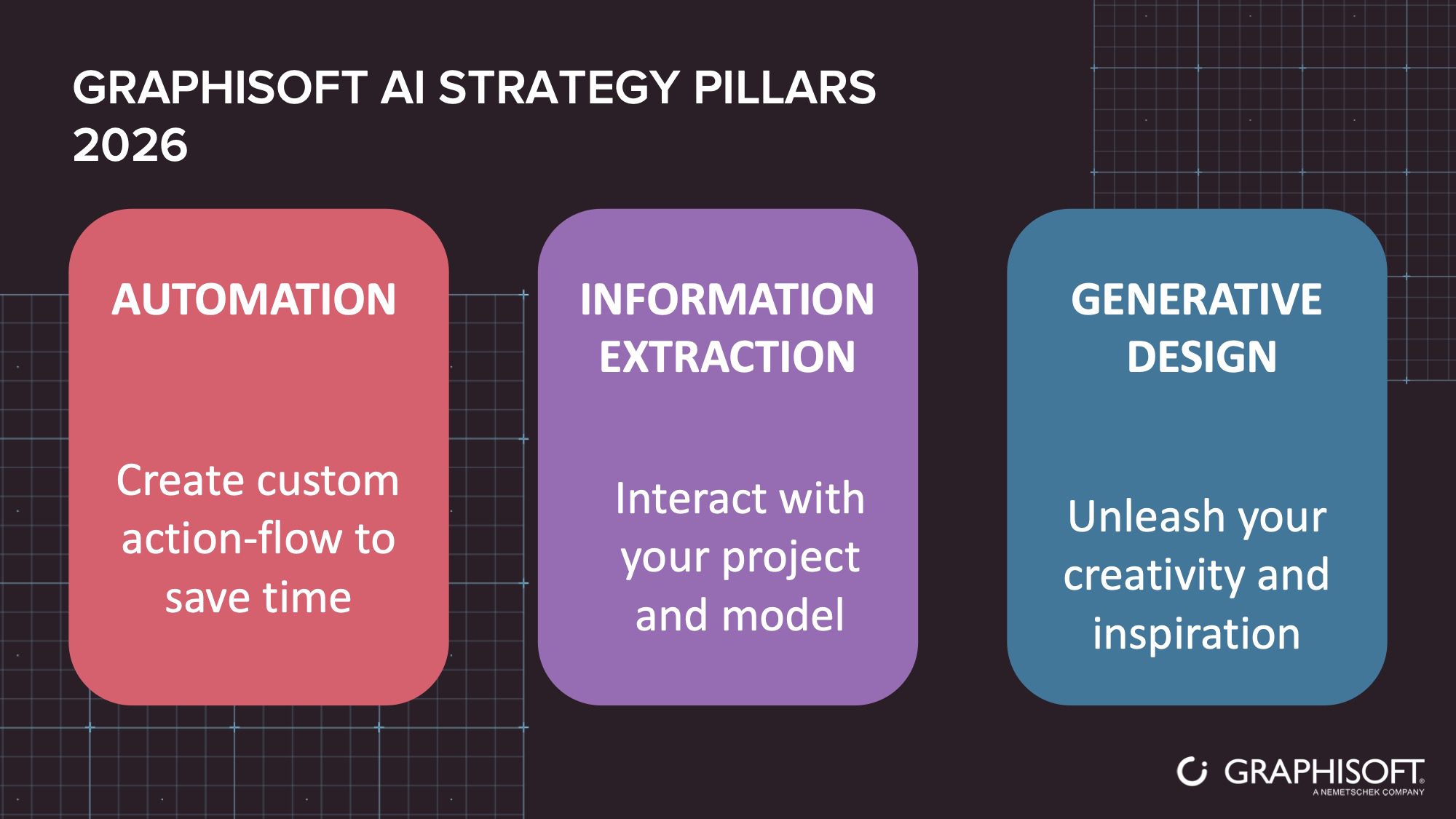
Image: Graphisoft
art4d: We see Archicad 29, which was launched last year. How is it different compared to the previous version, and what are the most impactful features?
DY: There are over 14 different improvements within Archicad 29 that make the workflow better and easier for architects, allowing them more things from color palettes to the way things are annotated.
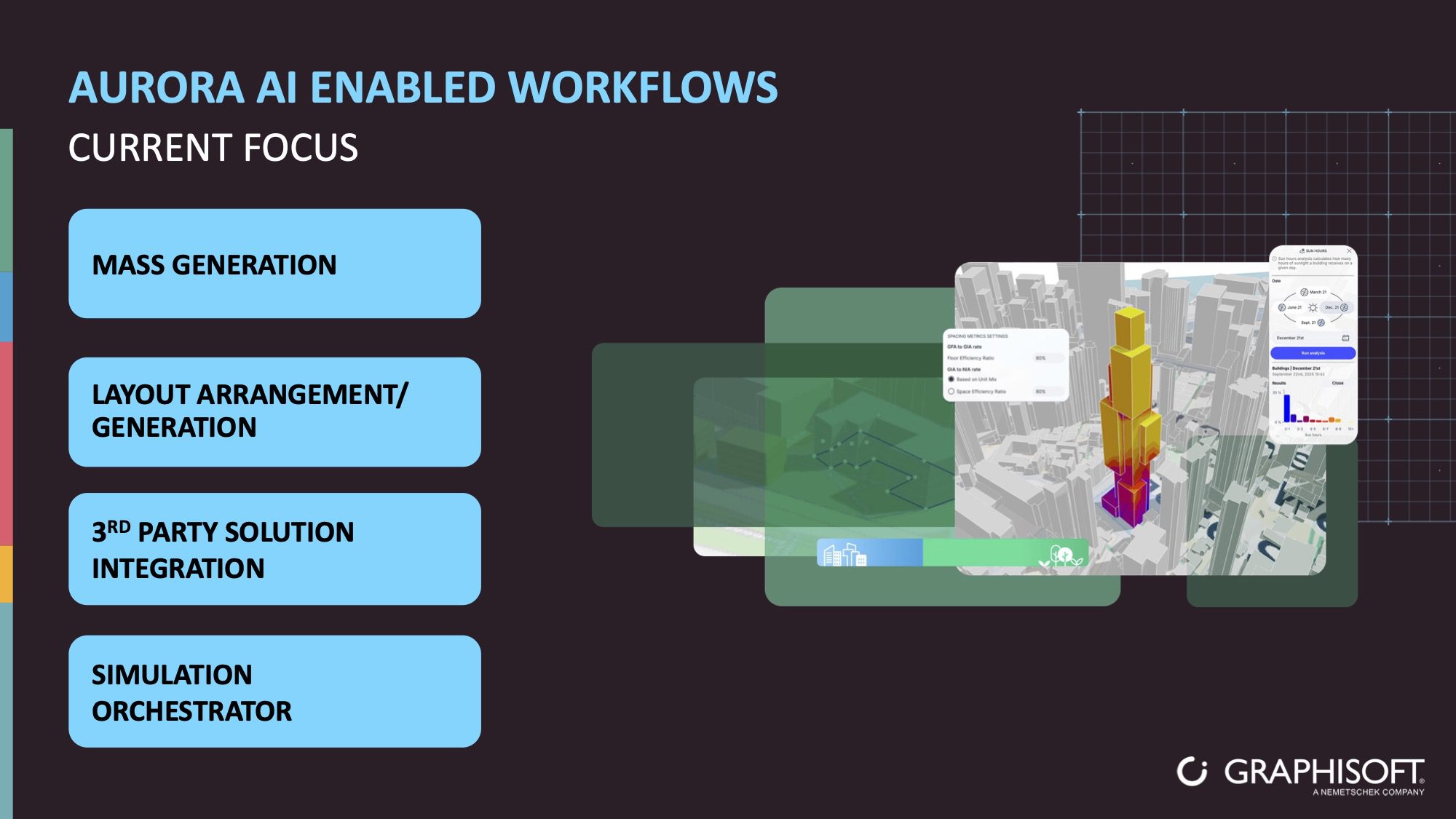
Image: Graphisoft
We brought up 2 distinct improvements that allow them to work in a better way. First is our Project Aurora, which is coming out to BETA right now, and we’ll do the final release of 29 later this year. It allows you to do geolocation, take a map location, and get the coordinates of the building. Put the conceptual design and then run simulations and capabilities around that building.
They can see the parameters of the project, whether it’s height restrictions, light restrictions, or even things like sun path and heat. So they can design a building that’s more efficient and doesn’t take as much energy to run over the life cycle.
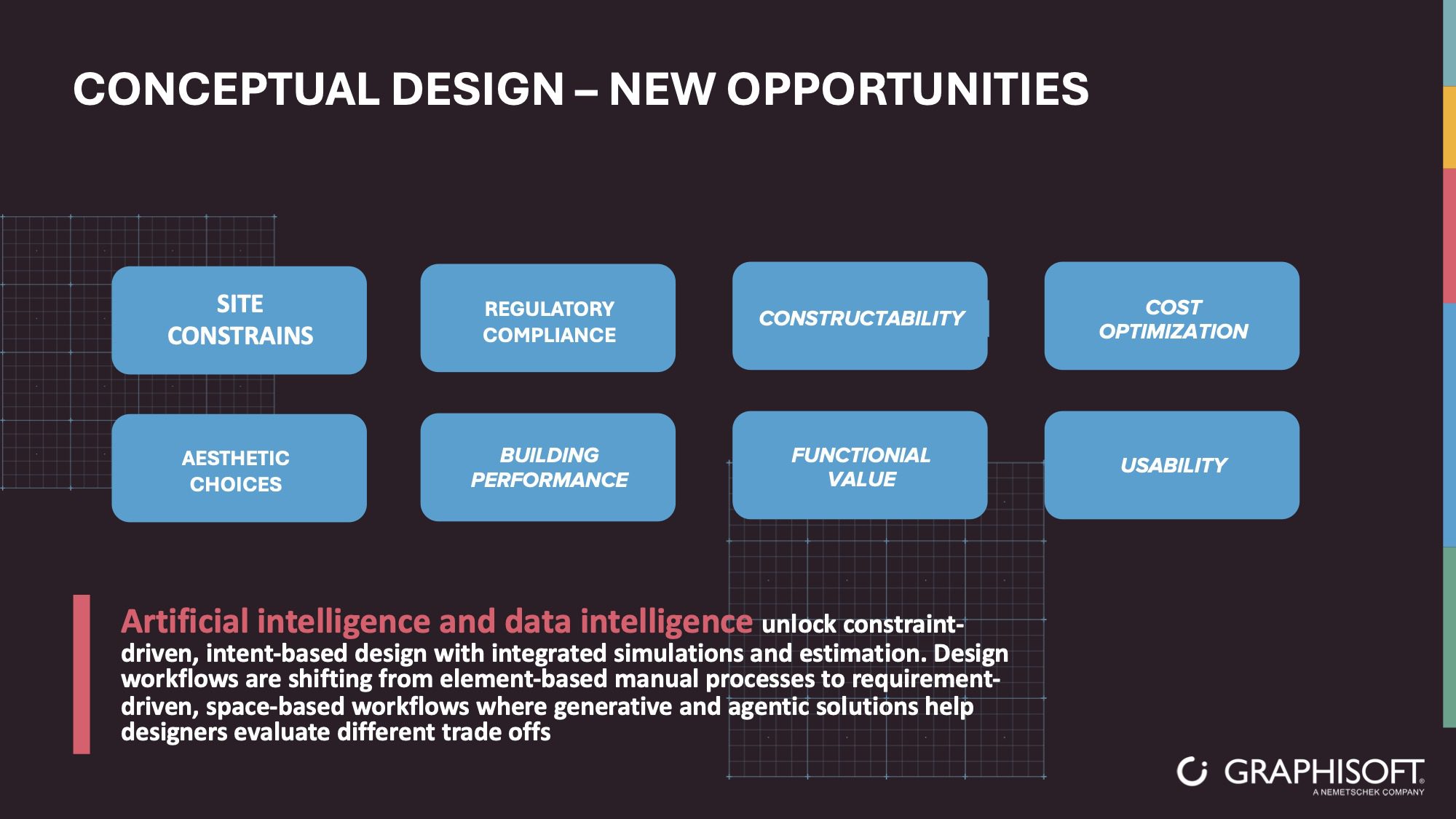
Image: Graphisoft
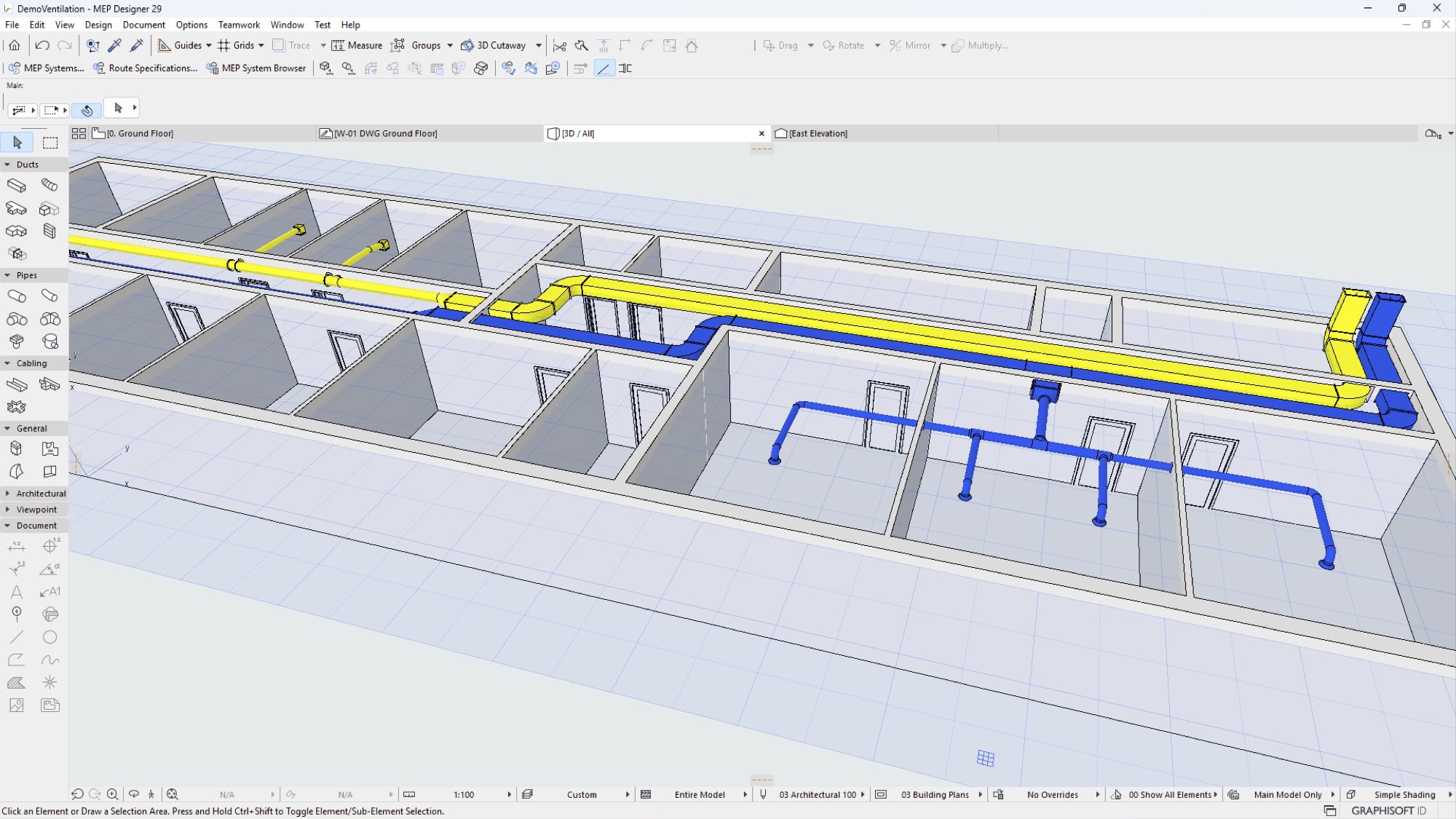
The second one is that we’ve brought a mechanical, electrical, and plumbing, MEP Designer, into Archicad. You’re actually designing the systems within the model, which allows the detailed engineer to work in the way they’re used to with lines on a drawing, but it also has the power of MEP, so they can do the flow rates, the calculations, the snaps, and the connections to the pieces that they’re creating in an automated way. And because it’s within the model, you can see the interaction with design elements as well as the engineering elements of the systems, which help decrease errors and problems.
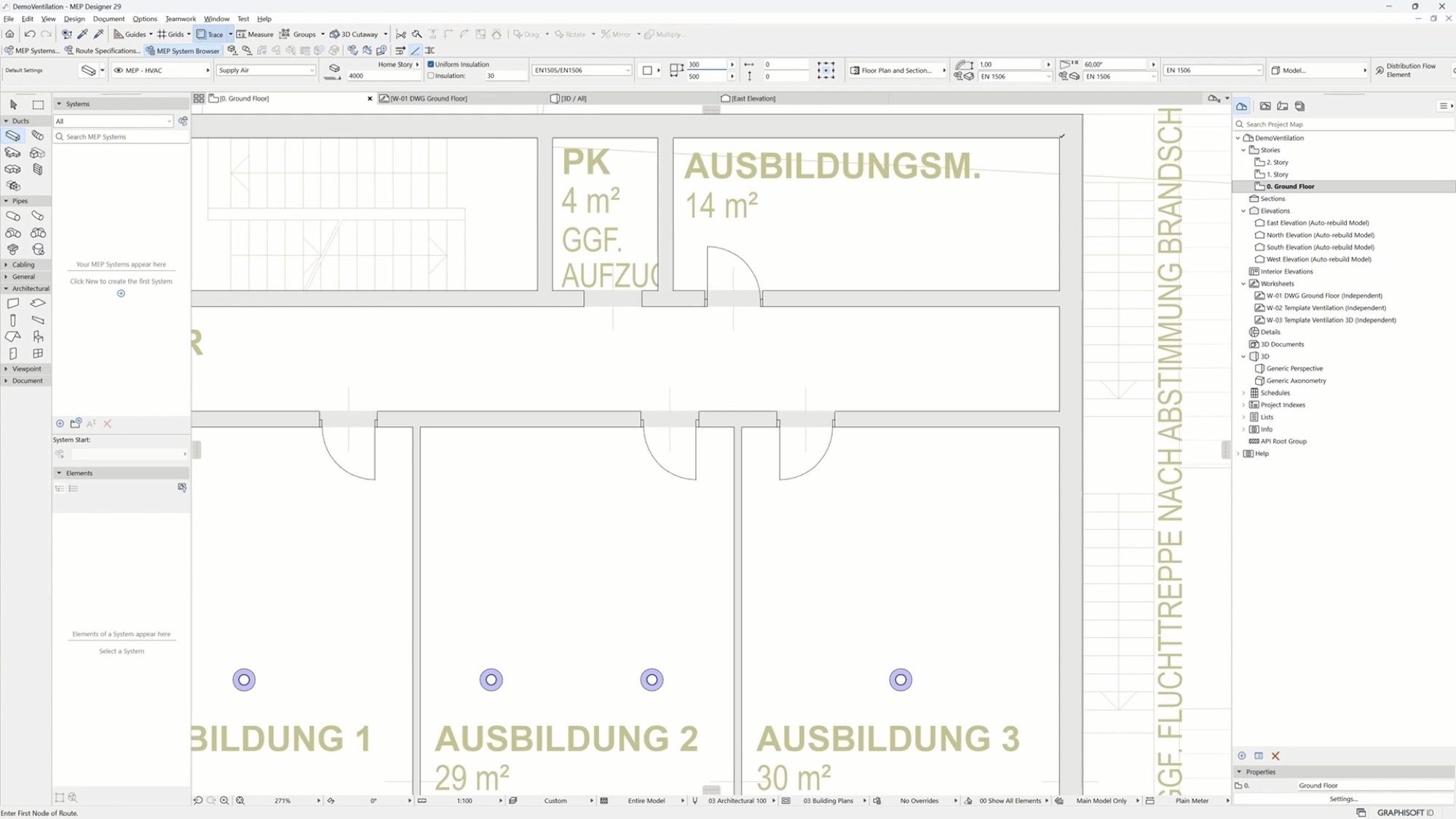 MEP Designer | Image: Graphisoft
art4d: Could you tell us about the direction of Archicad’s development in the coming years? What’s Graphisoft working on for Archicad 30?
DY: Yeah, one of the needed features of Archicad and one of the values we bring to architects is that we open for backwards compatibility on versions. If an architect’s been working in 29 and wants to move to 30, they can bring that model along with them into the 30 environment. This will not be limited to Archicad 30 but also our future releases.
Image: Graphisoft
We’re making a lot of investment in AI tools, buying some AI companies. We think we can add a lot of value to the repetitive work streams that are done within the design process. Of course, we still have to figure out how to do it and bring the value to the architect. I think that architects, in my experience, want to create beautiful buildings, really artistic work, and the more detailed works that we can automate or provide access to for them. We’ll allow them to spend more time on that design space.
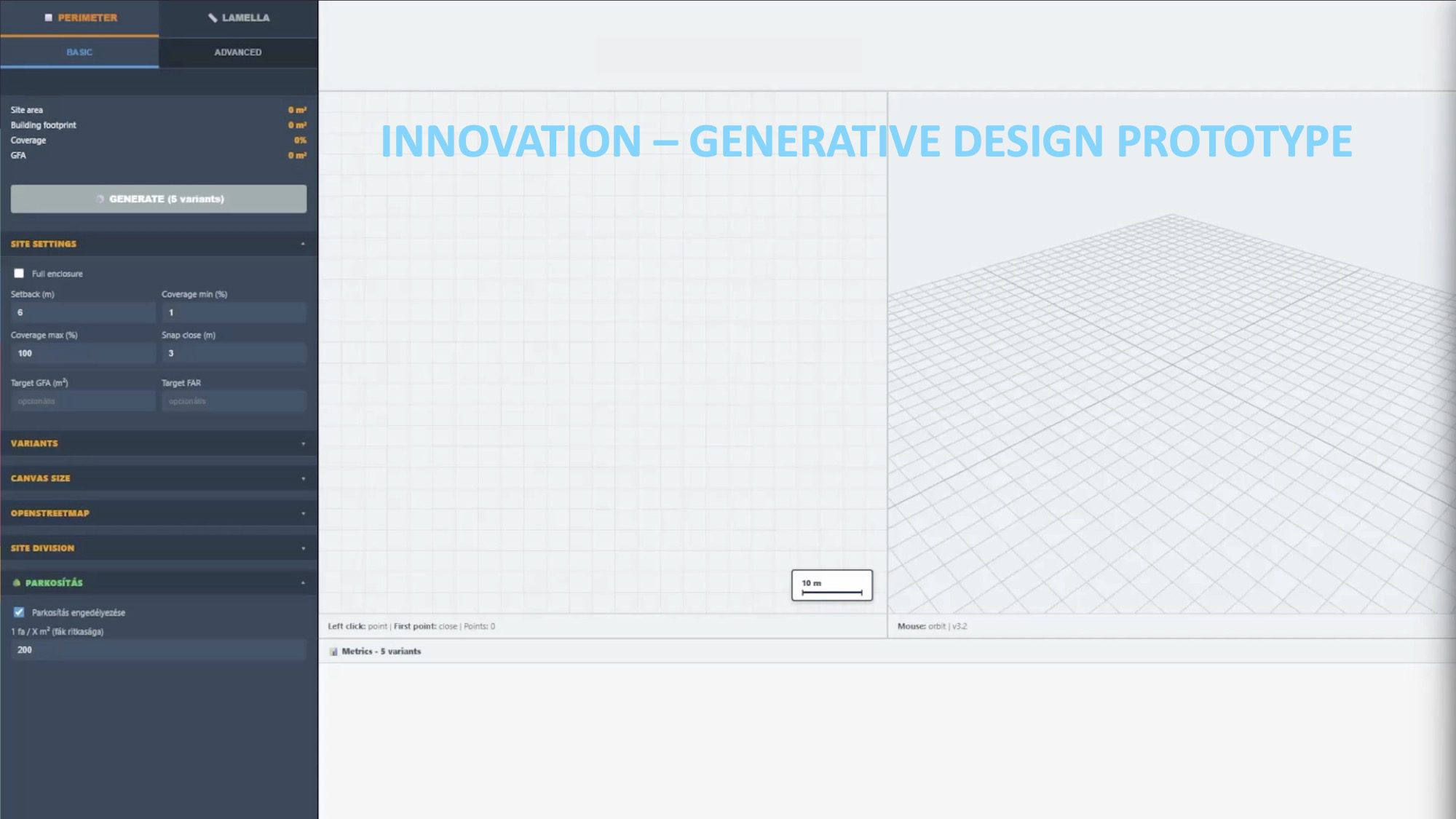
Project Aurora | Image: Graphisoft
art4d: From Graphisoft’s global perspective, do architectural styles in different regions affect the workflow and the way Archicad is used?
DY: We’ve been a global product and have been developed for 40 years in the global economy. We’re centralised in Europe. And because of that, we’ve got a very large global footprint. We do work in Southeast Asia, as we are here (Thailand) talking, we do work in America. And we notice that architects do have specific parameters they need to work through in each of the different countries.
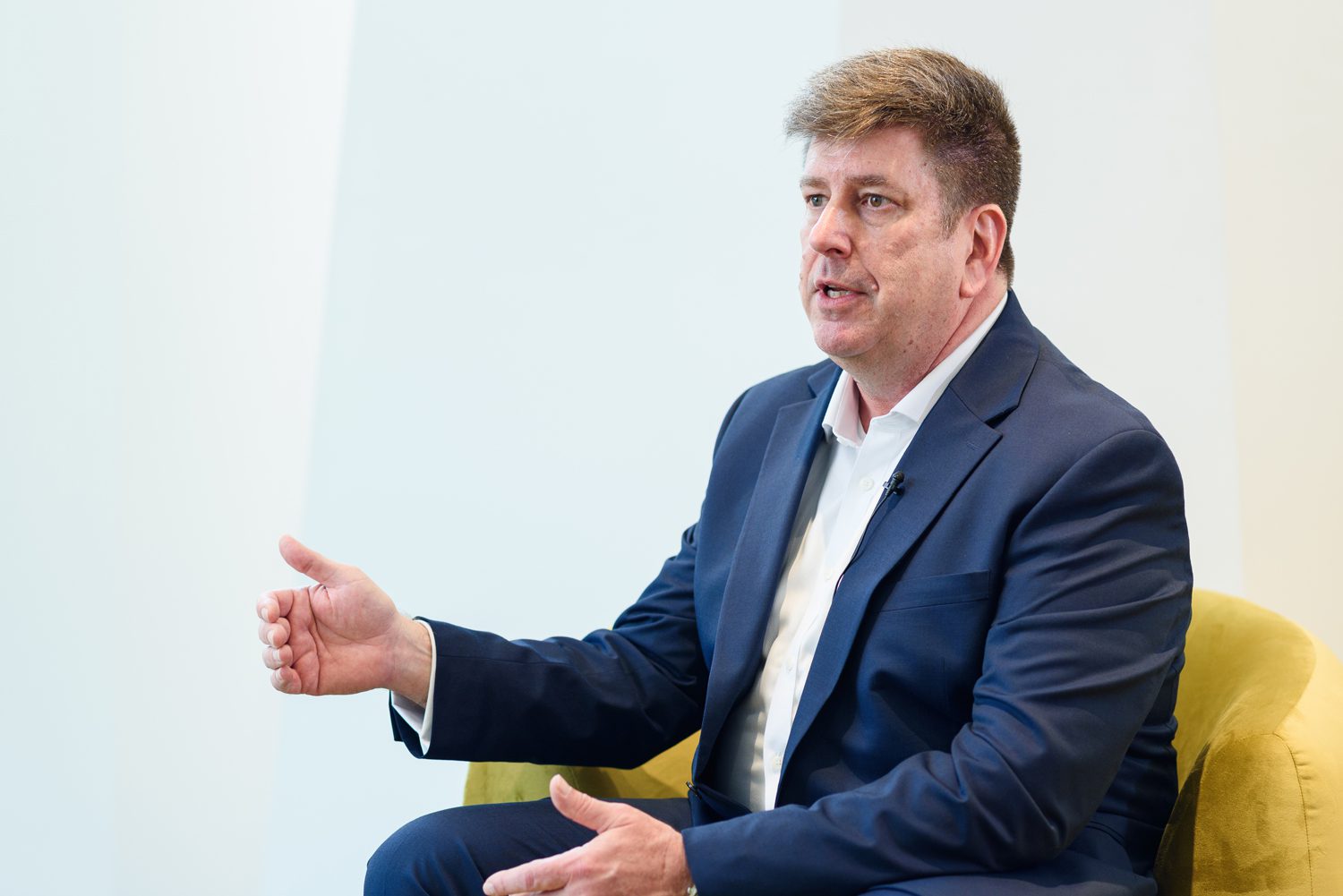
Photo: Worapas Dusadeewijai
We have a great architectural firm that actually switched from a competitor to Archicad in the last few years because they had a design problem. They were doing beautiful residential homes in Latin America, and the owners of these homes wanted to maintain the beauty of the view. At the same time, because of the heat and the sun, they had to provide some shade within the building to be able to do that. Working with an Archicad, they can create a cladding environment with slats that maintain the light, airiness and view that they were looking for, but still provide the shade and the relief from the heat that was necessary.
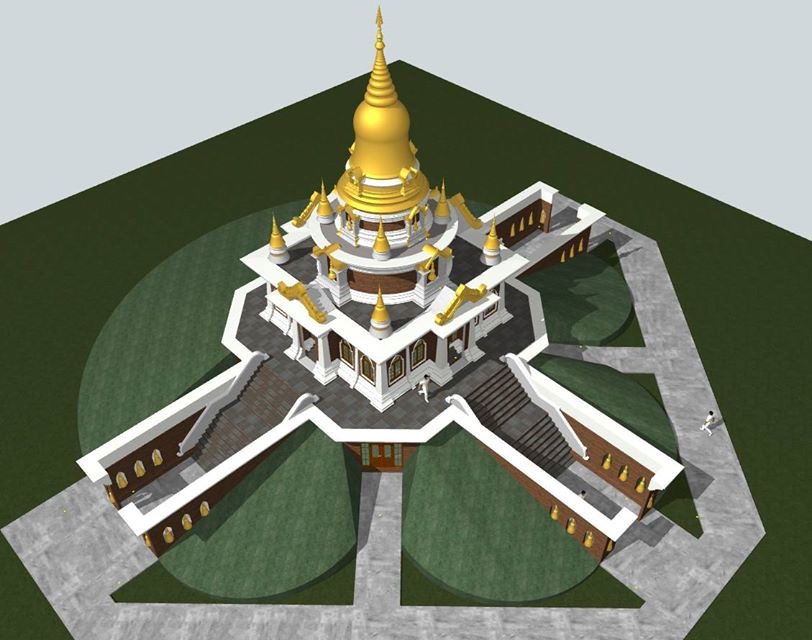 Image: Phanoowhat Chanlawhong by ArchiCAD LAB THAILAND
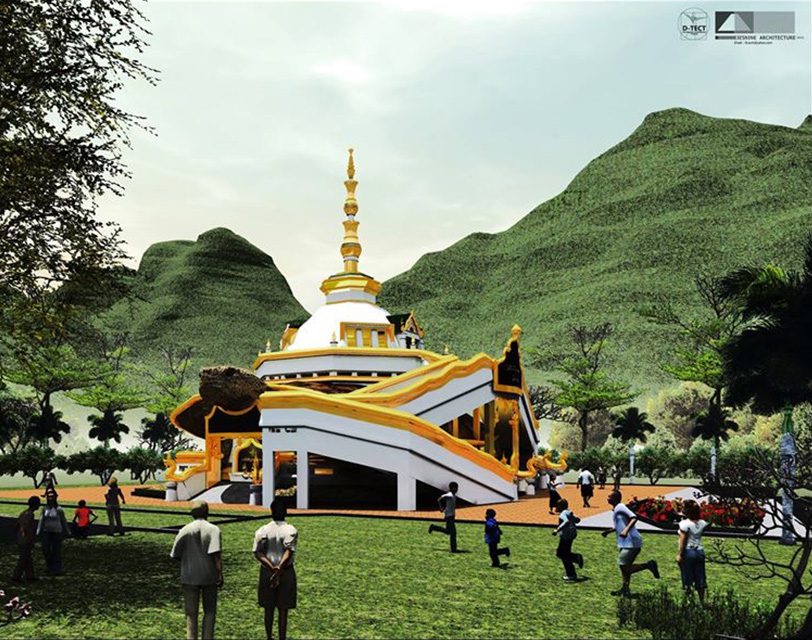
Each part of the world has little things that are very important to it. Whether dealing with water runoff, dealing with energy, or dealing with heat, all these are specific to how architecture works. And because Archicad is built by architects for architects, that workflow naturally supports the details that they need to work with.
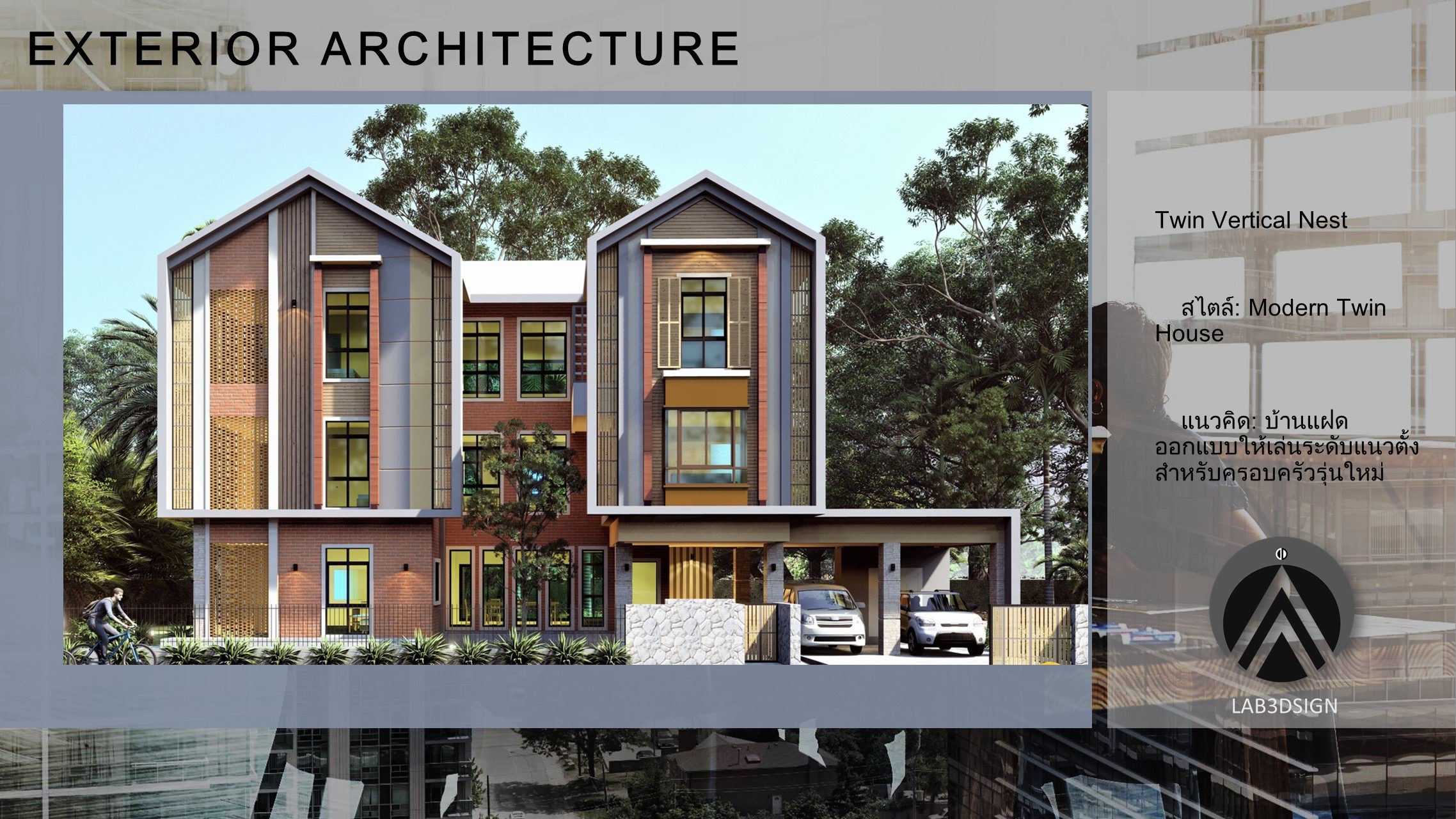
Image: Phanoowhat Chanlawhong by ArchiCAD LAB THAILAND
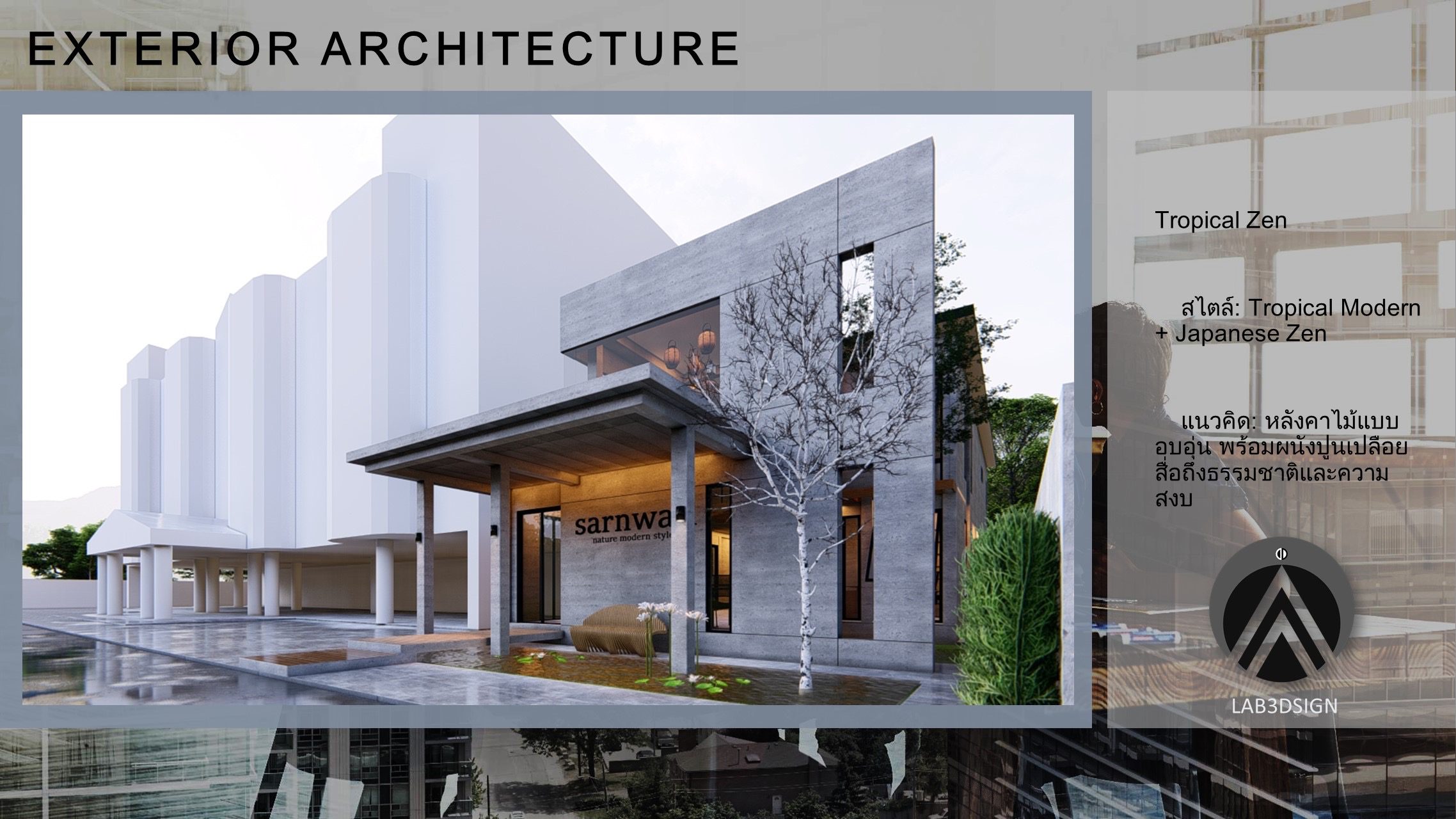
Image: Phanoowhat Chanlawhong by ArchiCAD LAB THAILAND
art4d: Is there anything you want to suggest to the architects who are interested in switching to Archicad?
DY: It’s been a very complex world for them. I mean, because people have had to use different technologies for different stages. A lot of times, when people are dealing in a 2D design world, they’re working with a product like SketchUp or AutoCAD, and to transform it into 3D, you actually go to another application and redesign it, then when you go to documentation, you move to another application again. So it becomes very difficult and confusing.
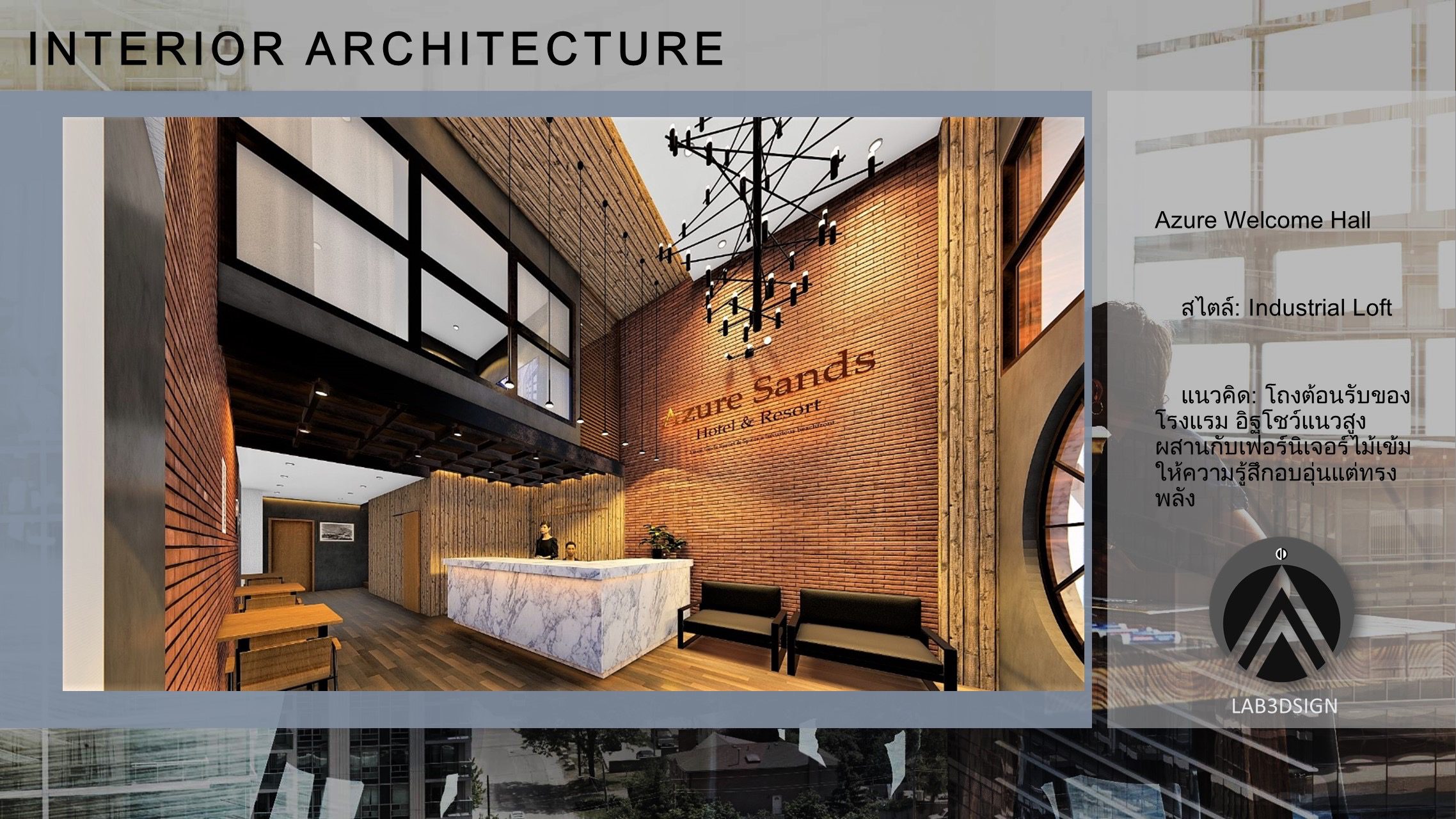 Image: Phanoowhat Chanlawhong by ArchiCAD LAB THAILAND
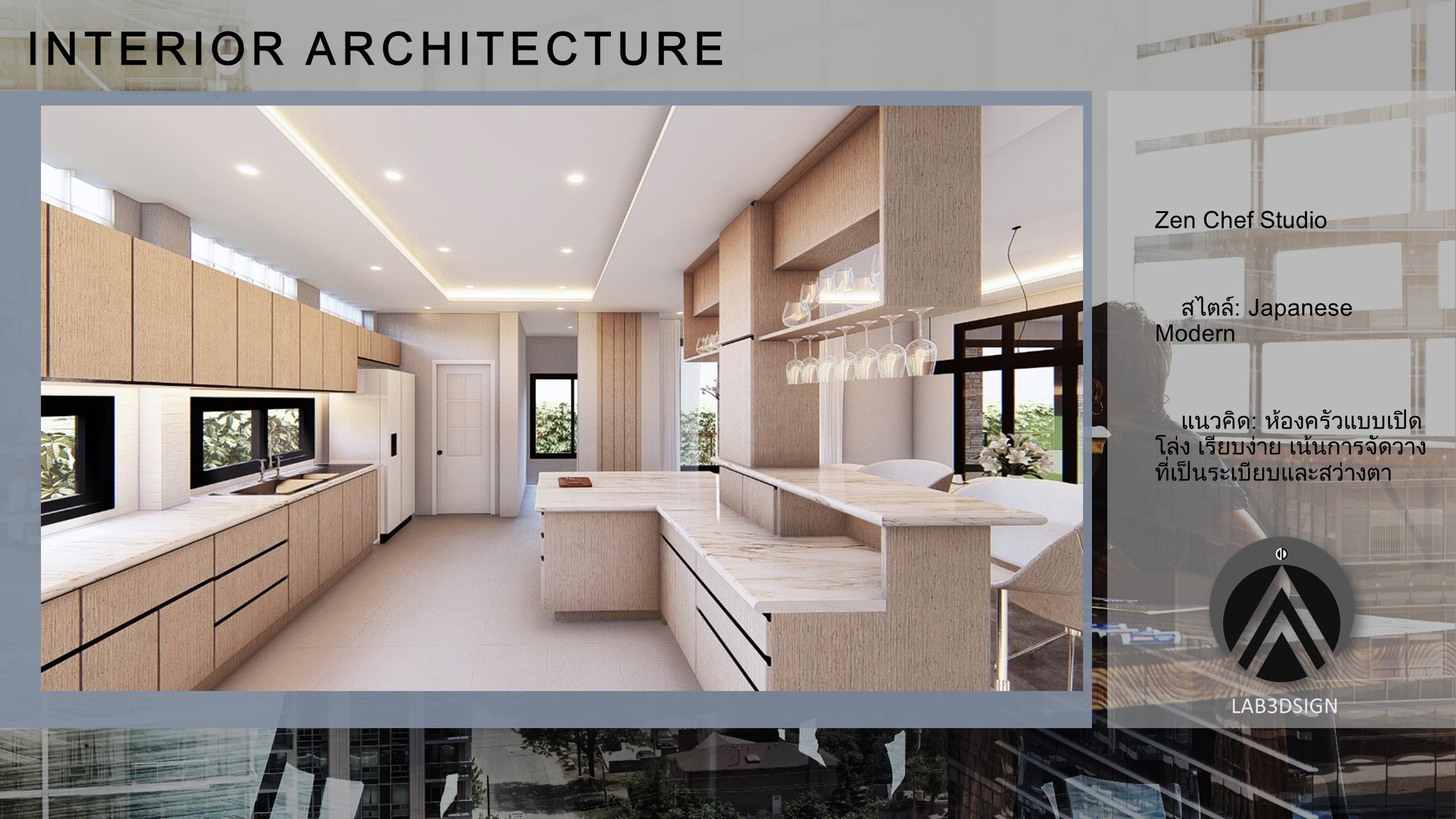
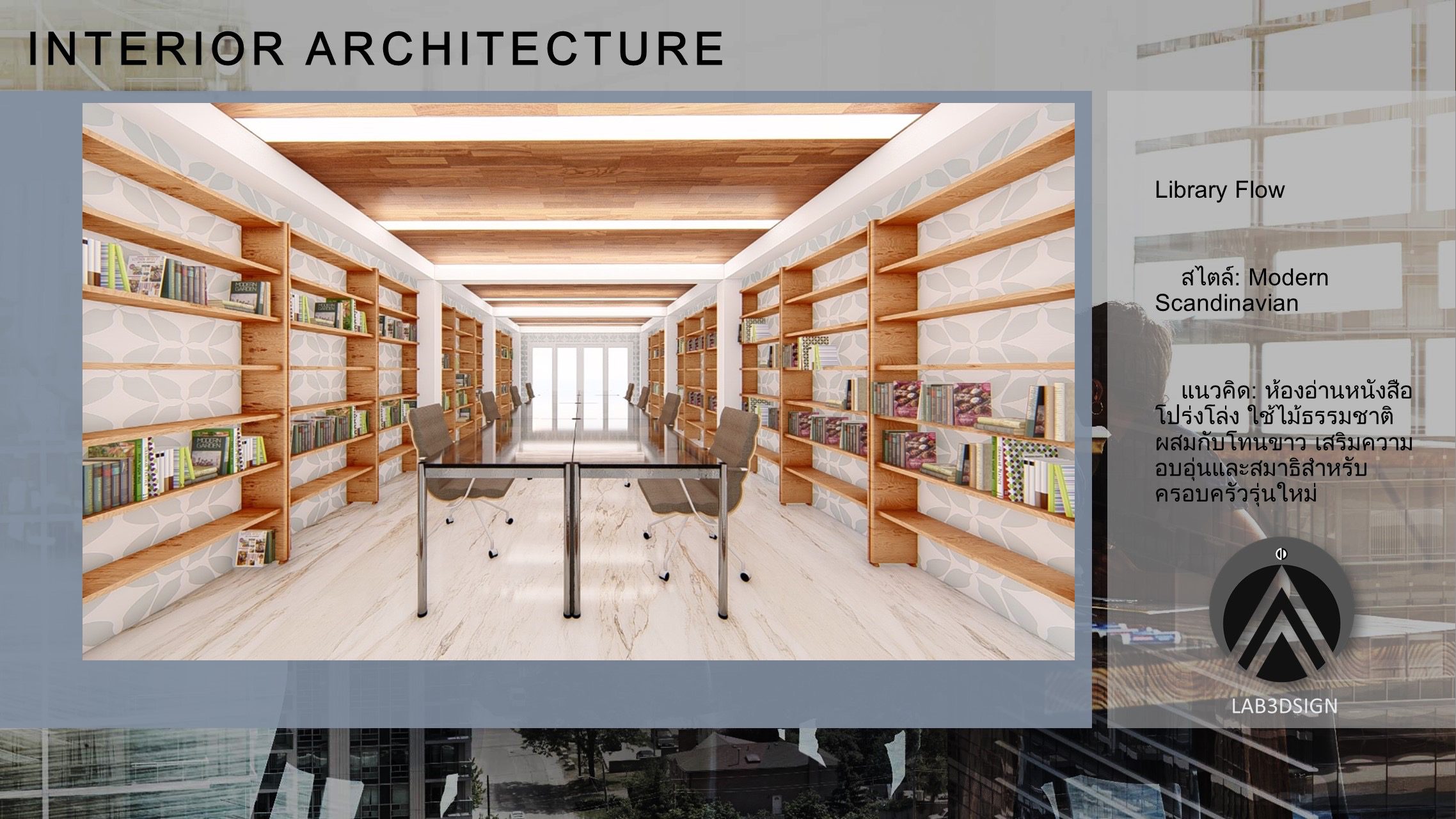
It’s one of the benefits of working with Archicad that you’re actually working with a tool that allows you to do the conceptual design, the drawing, and the drafting in 3D elements, so you’re actually creating the visualization as you’re creating your design.
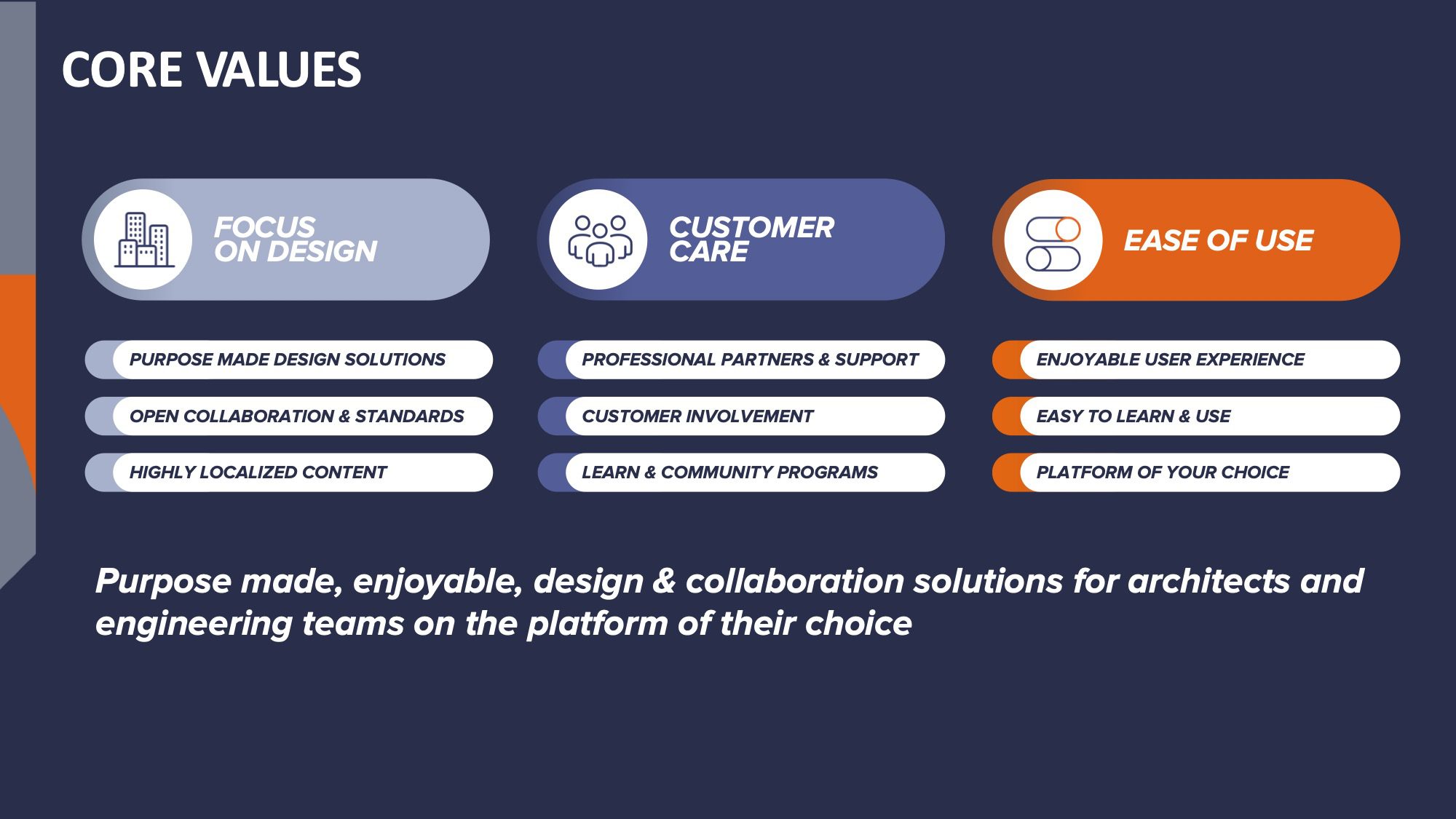
Image: Graphisoft
Archicad also creates the details of the metadata underneath the building information modeling that you’re looking for, so it’ll naturally bring you along on the workstream. It’s easy to change things, and you will not want to change the application back. You’ll love it. (laugh)